






CLEACON_Full_Digital_Network_DSP_Conference_System_User_Manual_V4.1.pdf
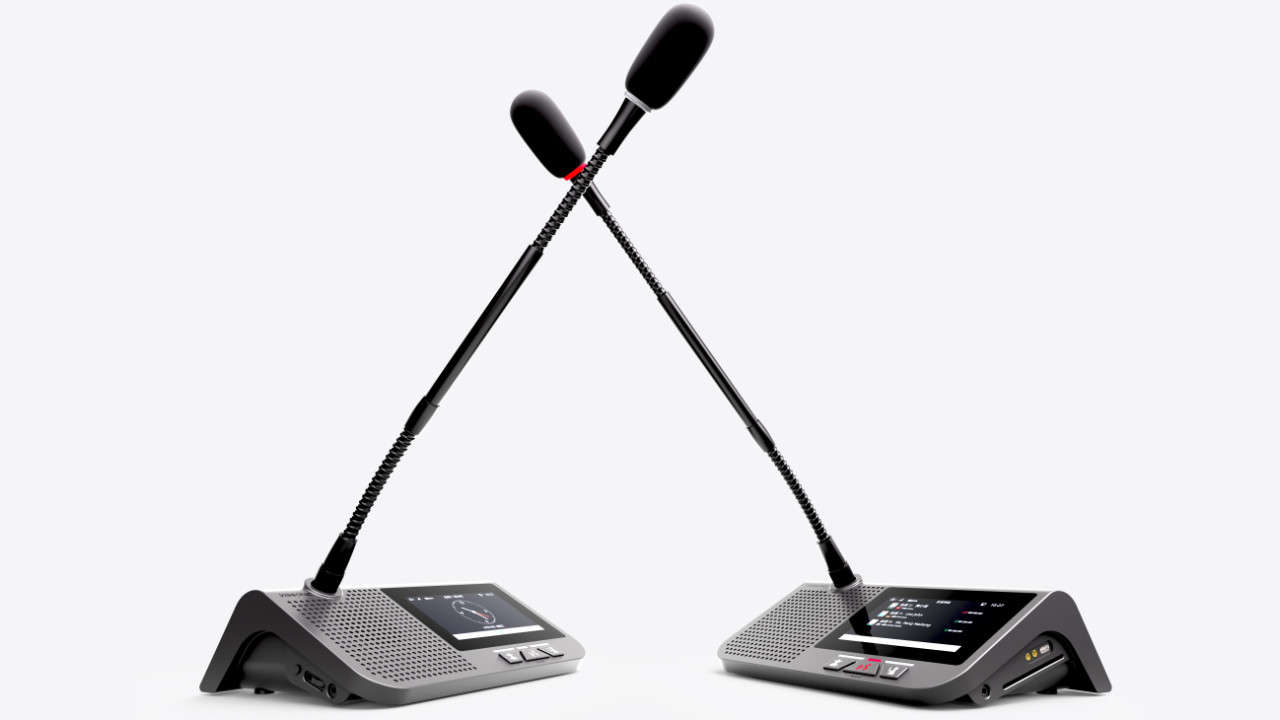
This manual mainly describes the use, performance parameters and troubleshooting of VISSONIC Full Digital Network DSP Conference System - including desktop, embedded, array unit and 5G WiFi wireless conference system.
1. System overview
.............................................................................................................................8
1.1
System features
.....................................................................................................................8
1.2
System composition
............................................................................................................11
2.
Conference controller
...................................................................................................................
13
2.1 VIS-DCP2000-D/W conference controller ........................................................................ 13
2.1.1 Features and interfaces ............................................................................................ 13
2.1.2
Installation
...............................................................................................................
15
2.1.3 Connection
...............................................................................................................15
2.1.3.1 Connecting the power supply .......................................................................15
2.1.3.2 Connecting audio inputs ...............................................................................16
2.1.3.3 Connecting audio outputs .............................................................................16
2.1.3.4 Connecting the conference controller .......................................................... 17
2.1.3.5 Connecting conference units ........................................................................ 17
2.1.3.6 Connecting an AP (only for VIS-DCP2000-W) ...........................................18
2.1.3.7 Connecting for camera tracking ................................................................... 18
2.1.3.8 Connecting the PC software .........................................................................20
2.1.4 Settings and usage ................................................................................................... 21
2.1.4.1 Menu and operations .................................................................................... 21
2.1.4.2 Setting MIC mode ........................................................................................ 28
2.1.4.3 Setting DSP .................................................................................................. 29
2.1.4.4 Setting audio zones .......................................................................................31
2.1.4.5 Setting recording .......................................................................................... 34
2.1.4.6 Setting conference unit .................................................................................35
2.1.4.7 Setting interpreter unit ..................................................................................37
2.1.4.8 Setting camera tracking ................................................................................38
2.1.4.9 Setting network address ............................................................................... 41
2.1.4.10 Setting POE speaker ...................................................................................41
2.1.4.11 Setting system configuration ...................................................................... 43
2.1.4.12 Setting wireless communication (only for VIS-DCP2000-W) .................. 44
2.1.4.13 Setting debug configuration ....................................................................... 44
2.1.4.14 Restoring to factory settings .......................................................................45
3.
Conference units
...........................................................................................................................
46
3.1 VIS-DCC/DCD/DVC/DVD/DVCIC/DVDIC/DIC/DID/DSC/DSD-T units .................... 46
3.1.1 Features and interfaces ............................................................................................ 46
3.1.2
Connection
...............................................................................................................50
3.1.3 Settings and usage ................................................................................................... 51
3.1.3.1 Setting unit ID .............................................................................................. 51
3.1.3.2 Setting unit types .......................................................................................... 52
3.1.3.3 Usage ............................................................................................................ 53
3.2
VIS-DMD-T unit
................................................................................................................
55
3.2.1 Features and interfaces ............................................................................................ 55
3.2.2
Connection
...............................................................................................................56
3.2.3 Settings and usage ................................................................................................... 57
3.2.3.1 Setting unit ID .............................................................................................. 57
3.2.3.2 Setting unit types and rights ......................................................................... 58
3.2.3.3 Usage ............................................................................................................ 58
3.3
VIS-MAU-T unit
................................................................................................................
62
3.3.1 Features and interfaces ............................................................................................ 62
3.3.2
Connection
...............................................................................................................63
3.3.3 Settings and usage ................................................................................................... 64
3.3.3.1 Setting unit ID .............................................................................................. 64
3.3.3.2 Setting unit types and rights ......................................................................... 65
3.3.3.3 Usage ............................................................................................................ 65
3.4 VIS-ACC/ACD/DAC/DAD-T units ...................................................................................68
3.4.1 Features and interfaces ............................................................................................ 68
3.4.2
Connection
...............................................................................................................69
3.4.3 Settings and usage ................................................................................................... 69
3.5 VIS-DCC/DCD/CSU/DVU/SPK/FFC/FFD-F/FS/FS1/FS2/F1/F2 units .......................... 70
3.5.1 Features and interfaces ............................................................................................ 70
3.5.2
Installation
...............................................................................................................
74
3.5.2.1 Hole sizes ......................................................................................................74
3.5.2.2 Installation steps ........................................................................................... 75
3.5.3
Connection
...............................................................................................................75
3.5.4 Settings and usage ................................................................................................... 76
3.6 VIS-WDC/WDD/WVC/WVD/WVCIC/WVDIC-T units ................................................. 77
3.6.1 Features and interfaces ............................................................................................ 77
3.6.2
Connection
...............................................................................................................81
3.6.3 Settings and usage ................................................................................................... 82
3.7
VIS-MAW-T unit
................................................................................................................83
3.7.1 Features and interfaces ............................................................................................ 83
3.7.2
Connection
...............................................................................................................86
3.7.3 Settings and usage ................................................................................................... 86
3.7.3.1 Setting unit ID .............................................................................................. 86
3.7.3.2 Setting unit types and rights ......................................................................... 87
3.7.3.3 Usage ............................................................................................................ 87
3.7.4 Web page of charger ................................................................................................ 91
3.7.4.1 Connection and login ....................................................................................91
3.7.4.2 Web-based management ...............................................................................93
4.
VIS-INT64 interpreter unit
...........................................................................................................96
4.1
Features and interfaces
.......................................................................................................
96
4.2 Connection
..........................................................................................................................97
4.2.1 Connected to controller ........................................................................................... 97
4.2.2 Connected to infrared transmitter ............................................................................98
4.3
Settings and usage
..............................................................................................................
99
4.3.1 Setting unit ID (only for connected to controller) ...................................................99
4.3.2 Setting interpretation channel ................................................................................100
4.3.3
Usage
.....................................................................................................................
100
4.3.3.1 Setting operator .......................................................................................... 100
4.3.3.2 Screen contents ...........................................................................................101
5.
Extension devices
.......................................................................................................................
103
5.1 VIS-EXM extension main unit .........................................................................................103
5.2
VIS-CNB splitter box
.......................................................................................................
103
5.3 VIS-HL network cable
......................................................................................................104
6.
AP
................................................................................................................................................105
6.1
Features and interfaces
.....................................................................................................
105
6.2 Installation
........................................................................................................................
105
6.2.1 Installation diagram ............................................................................................... 105
6.2.2 Installation precautions ..........................................................................................106
6.3
Connection
........................................................................................................................107
6.4
Settings and usage
............................................................................................................
107
6.4.1 Changing the AP channel ...................................................................................... 107
6.4.1.1 Connection ..................................................................................................107
6.4.1.2 Configuration on Web page ........................................................................109
6.4.2 Changing the SSID and password ......................................................................... 111
6.4.2.1 Changing the SSID and password of wireless conference system ............ 111
6.4.2.2 Changing the SSID and password of AP ....................................................113
6.4.3 Restoring to factory settings ..................................................................................114
7.
System connection and use case
.................................................................................................116
7.1
System planning
................................................................................................................116
7.2
System connection
............................................................................................................
117
7.3 Use case
............................................................................................................................
120
8. Technical specifications
..............................................................................................................122
8.1
Camera tracking protocol
.................................................................................................
122
8.2 Devices
.............................................................................................................................
123
8.2.1 VIS-DCP2000-D ................................................................................................... 123
8.2.2 VIS-DCP2000-W ...................................................................................................124
8.2.3 VIS-DCC/DCD/DVC/DVD/DVCIC/DVDIC/DIC/DID/DSC/DSD-T ................ 125
8.2.4 VIS-DMD-T .......................................................................................................... 125
8.2.5 VIS-MAU-T .......................................................................................................... 126
8.2.6 VIS-DAC/DAD-T ................................................................................................. 127
8.2.7 VIS-DCC/DCD/CSU/DVU/SPK/FFC/FFD-F/FS/FS1/FS2/F1/F2 ...................... 127
8.2.8 VIS-WDC/WDD/WVC/WVD/WVCIC/WVDIC-T ............................................. 128
8.2.9 VIS-MAW-T .......................................................................................................... 129
8.2.10 VIS-WBTY1 ........................................................................................................130
8.2.11 VIS-WCH1 .......................................................................................................... 130
8.2.12 VIS-WBTY2/VIS-WBTY2-H .............................................................................130
8.2.13 VIS-WCH2 .......................................................................................................... 131
8.2.14 VIS-INT64 ...........................................................................................................131
8.2.15 VIS-EXM/VIS-CNB/VIS-AP4C ........................................................................ 132