4K@60Hz Collaboration & Presentation Switcher
VIS-MV42
Built-in KVM seat management platform
Full-function USB-C connection
3×1 4K@60Hz 4:4:4
Compliant with HDMI 2.0/HDCP 2.2
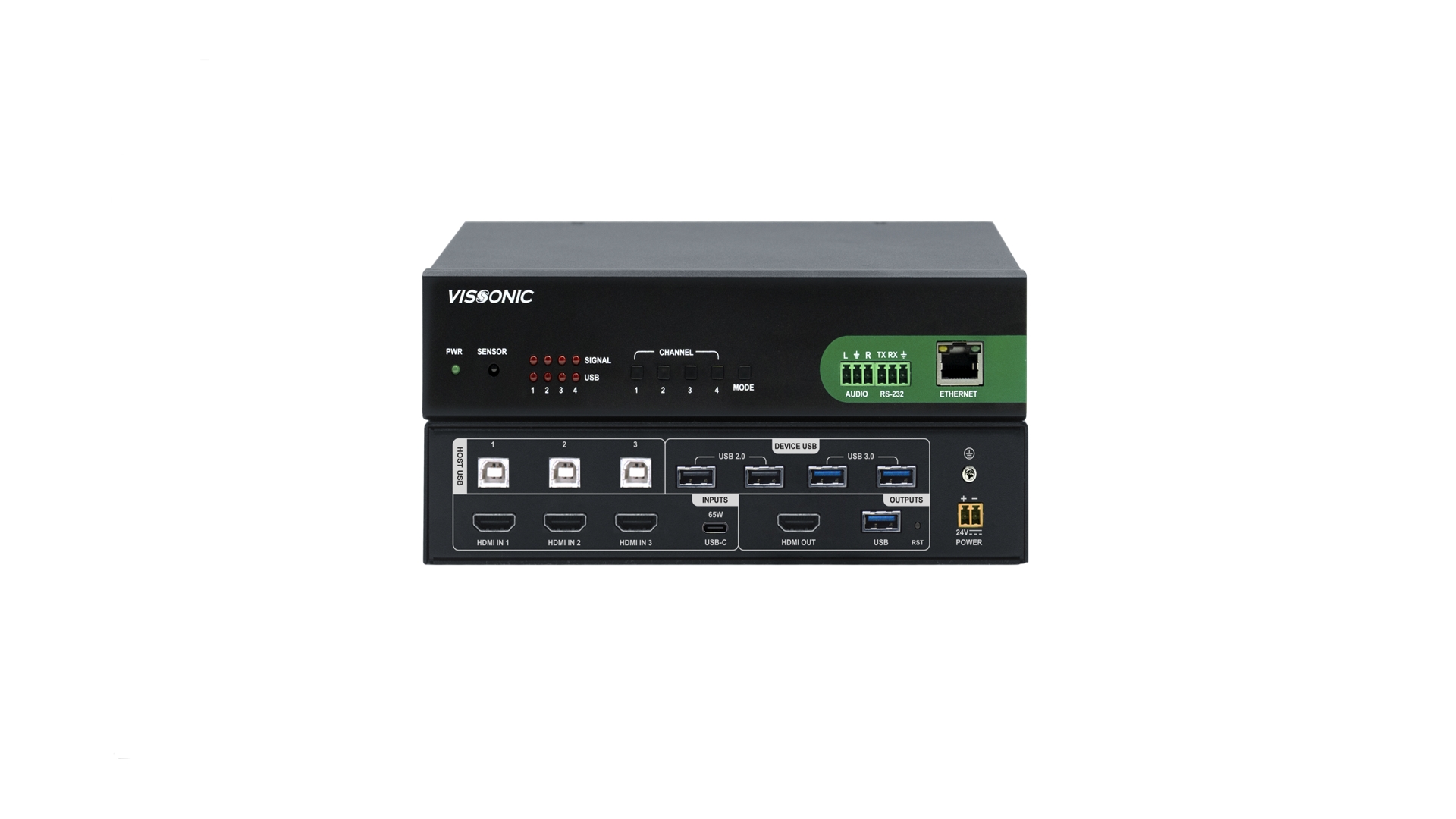
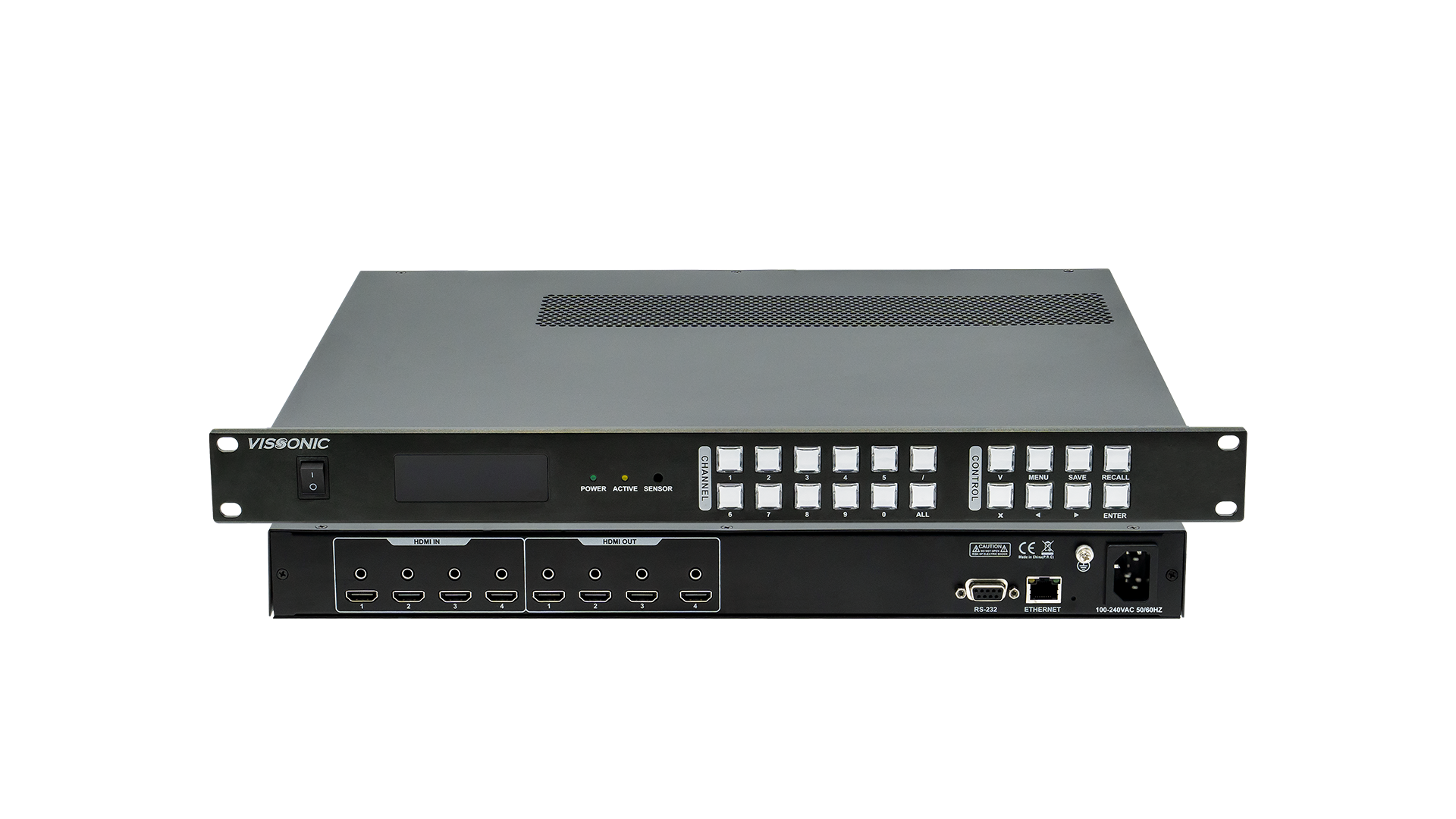
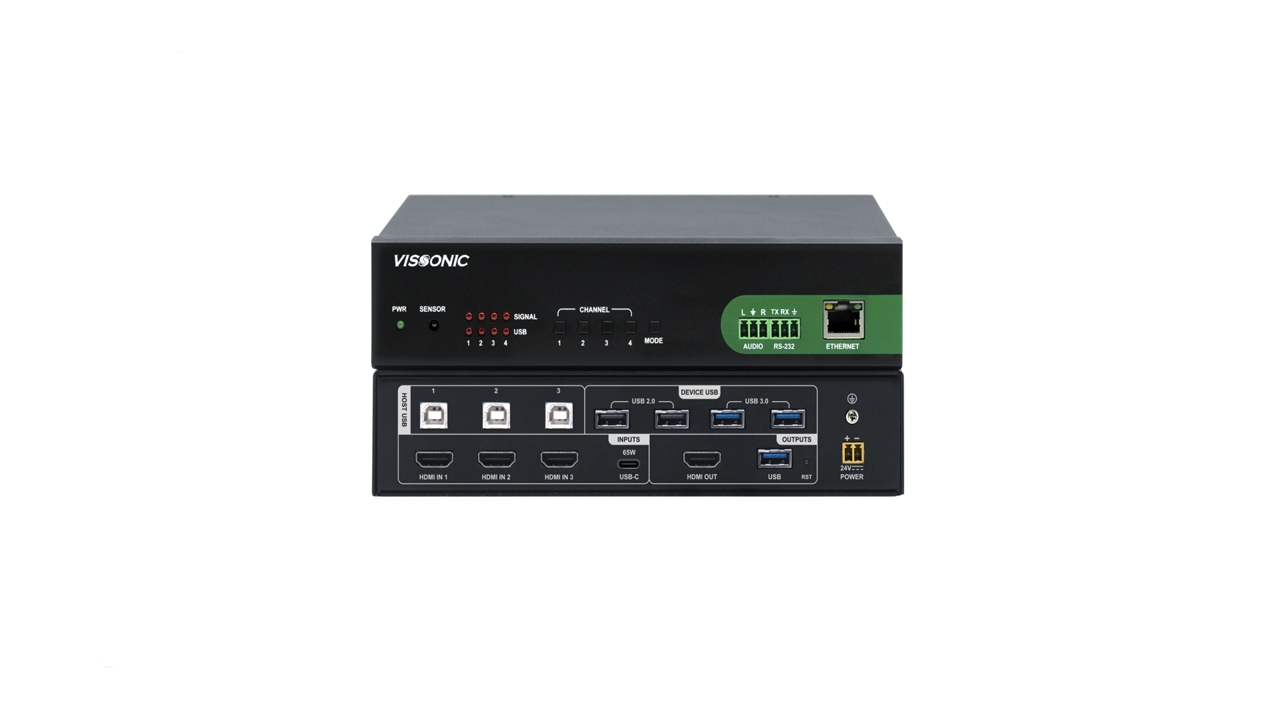
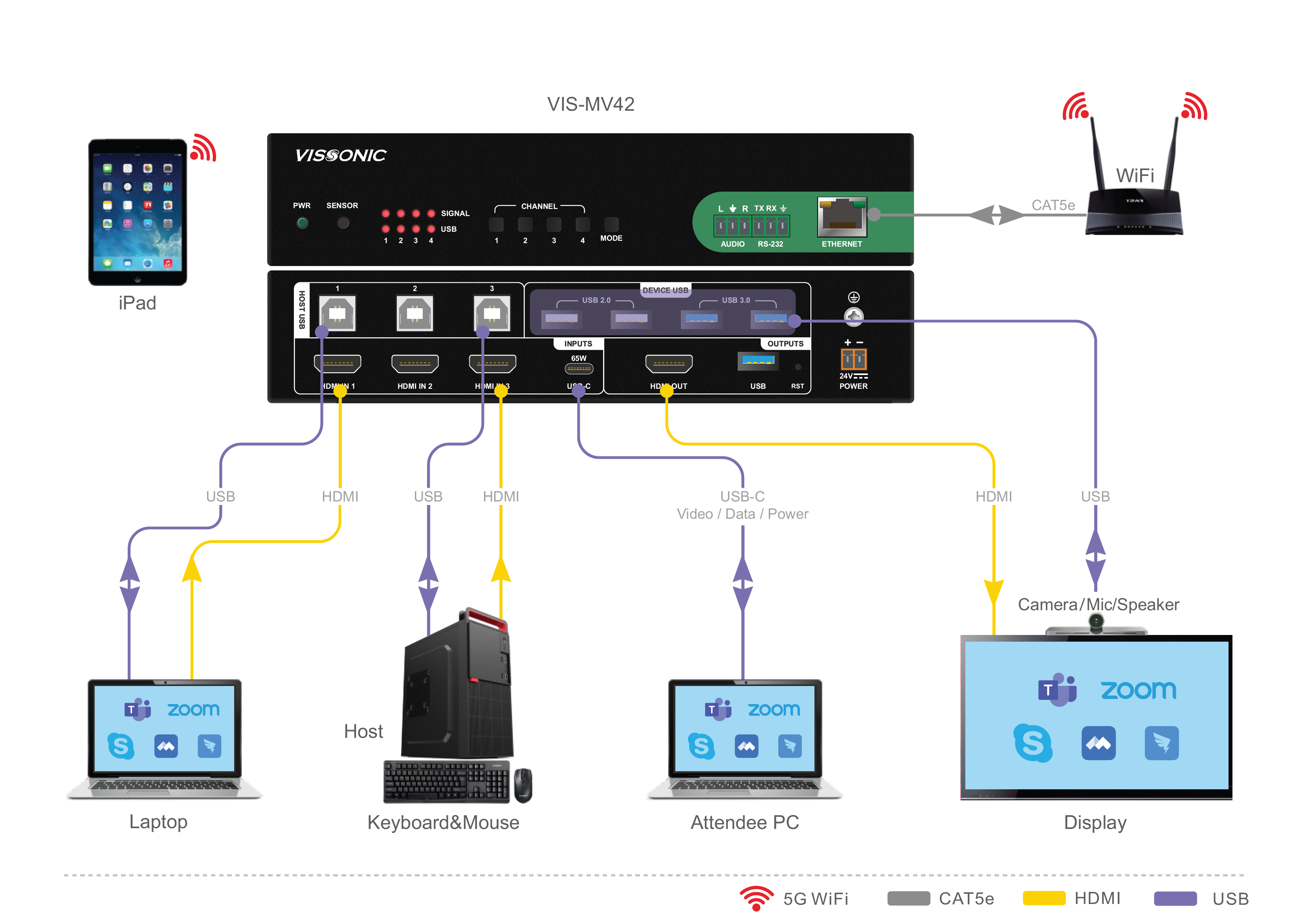

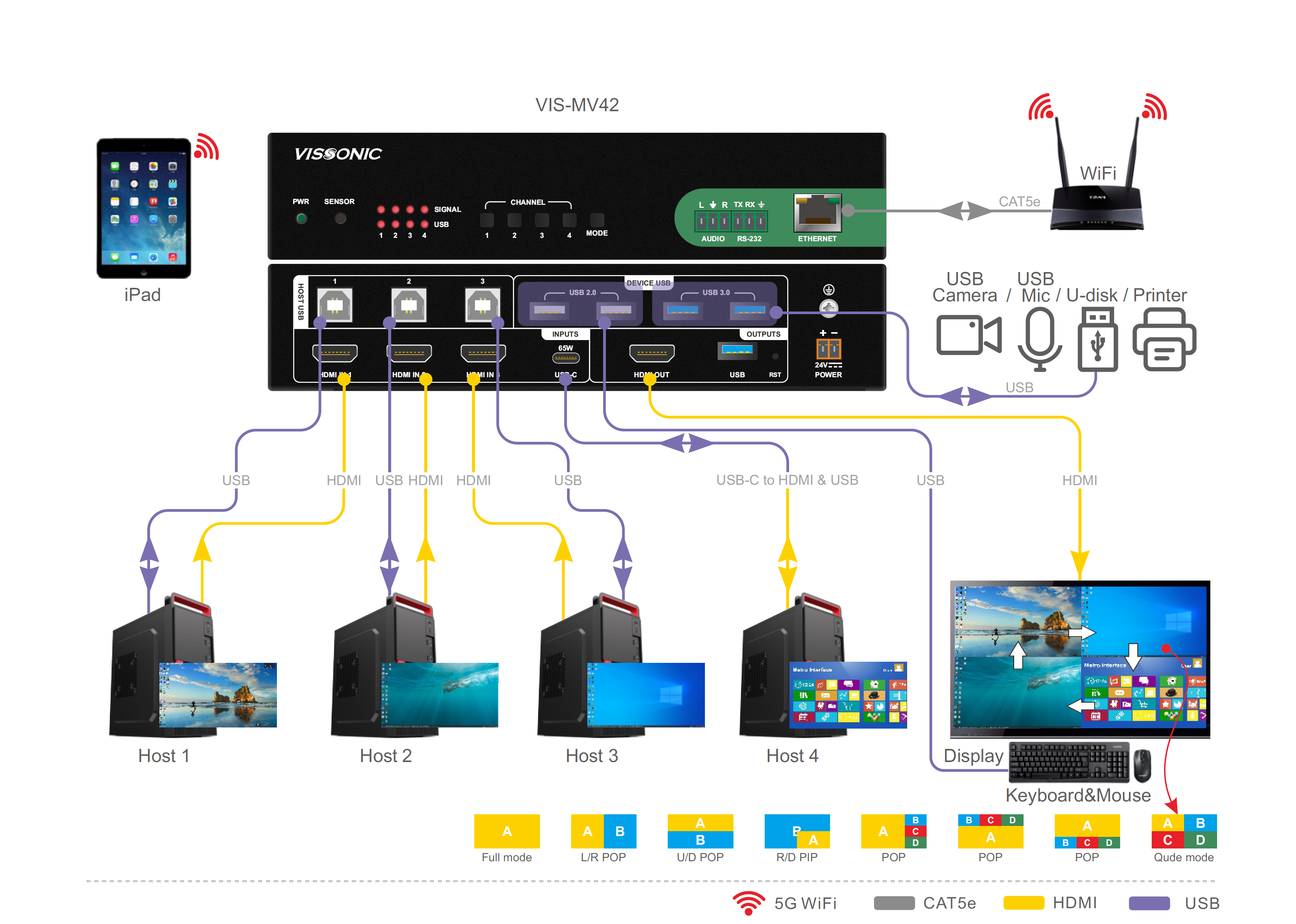
VIS-MV42 is a versatile collaboration & presentation switcher engineered for unified meeting spaces. Comes with 3 HDMI inputs, 1 full-function USB-C port (bidirectional A/V, 65W power delivery) and USB 3.0, integrating cameras, mics & peripherals for Microsoft Teams®/Zoom™ BYOM conferencing. Built-in KVM platform enables multi-computer control via single display/keyboard/mouse, USB peripheral sharing & multi-view display. Supports local HDMI/USB-C content sharing with simultaneous USB video output to remote conferences, offering a complete BYOD solution for modern meetings.
● 3× HDMI inputs and 1× HDMI output, supporting up to 4K@60Hz (4:4:4), compliant with HDMI 2.0 and HDCP 2.2;
● Full-function USB-C interface, supporting up to 4K@60Hz (4:4:4) input, DP 1.2, PD 3.0, and up to 65W fast charging, with bidirectional video capture and output;
● Seamless switching with no flicker, black screen, or visual artifacts for smooth presentation;
● Multi-view display, enabling simultaneous viewing of local content and remote video;
● Customizable output layouts, allowing flexible multi-window configuration via a web-based canvas;
● USB 3.0 video output, transmitting HDMI audio and video to PCs, smartphones, or tablets for preview or capture in Microsoft Teams®, Zoom™, and other conferencing platforms;
● USB device management, supporting external USB cameras and microphones to seamlessly integrate room devices and laptop signals for unified conferencing output;
● Seat collaboration (KVM) management, enabling one keyboard and mouse to control multiple computers, with smooth cross-screen operation and USB data sharing;
● 3× HDMI inputs and 1× HDMI output, supporting up to 4K@60Hz (4:4:4), compliant with HDMI 2.0 and HDCP 2.2;
● Full-function USB-C interface, supporting up to 4K@60Hz (4:4:4) input, DP 1.2, PD 3.0, and up to 65W fast charging, with bidirectional video capture and output;
● Seamless switching with no flicker, black screen, or visual artifacts for smooth presentation;
● Multi-view display, enabling simultaneous viewing of local content and remote video;
● Customizable output layouts, allowing flexible multi-window configuration via a web-based canvas;
● USB 3.0 video output, transmitting HDMI audio and video to PCs, smartphones, or tablets for preview or capture in Microsoft Teams®, Zoom™, and other conferencing platforms;
● USB device management, supporting external USB cameras and microphones to seamlessly integrate room devices and laptop signals for unified conferencing output;
● Seat collaboration (KVM) management, enabling one keyboard and mouse to control multiple computers, with smooth cross-screen operation and USB data sharing;
● Input labeling, allowing custom source names with support for any language and font;
● One-touch output freeze and unfreeze;
● One-touch output on/off control;
● Flexible switching logic, with configurable input priority for automatic source switching and true plug-and-play operation;
● Multiple control options, including RS-232, IR remote control, web interface, and front-panel buttons;
● Input test pattern generation for system commissioning and troubleshooting;
● Output test pattern generation to verify display and output connectivity;
● Intelligent HDMI output analysis, automatically selecting the optimal resolution based on display EDID;
● Output scaling modes supporting auto full-screen and aspect ratio preservation;
● Real-time device status monitoring via the web interface;
● Supports analog audio de-embedding;
● Supports input volume adjustment and multi-source audio mixing;
● Provides +5V DC / 250mA power for external HDMI peripherals;
● HDMI input equalization, actively compensating for signal loss caused by long or low-quality cables;
● Advanced EDID management, with multiple built-in EDID options and EDID file upload support;
● Supports control via Android and iOS mobile applications;
● Web-based one-click firmware upgrade for simplified maintenance.